
Velloo documentation
Markdown for LLMs ↗Velloo Cloud
The optional collaboration layer for published boards, controlled external review, comments, teams, and hosted asset generation.
The design source stays local. Velloo Cloud exists for the moments when a design needs other people or hosted generation: publish a board, control who can see it, gather feedback, and bring comments back into the canvas.
What the cloud adds
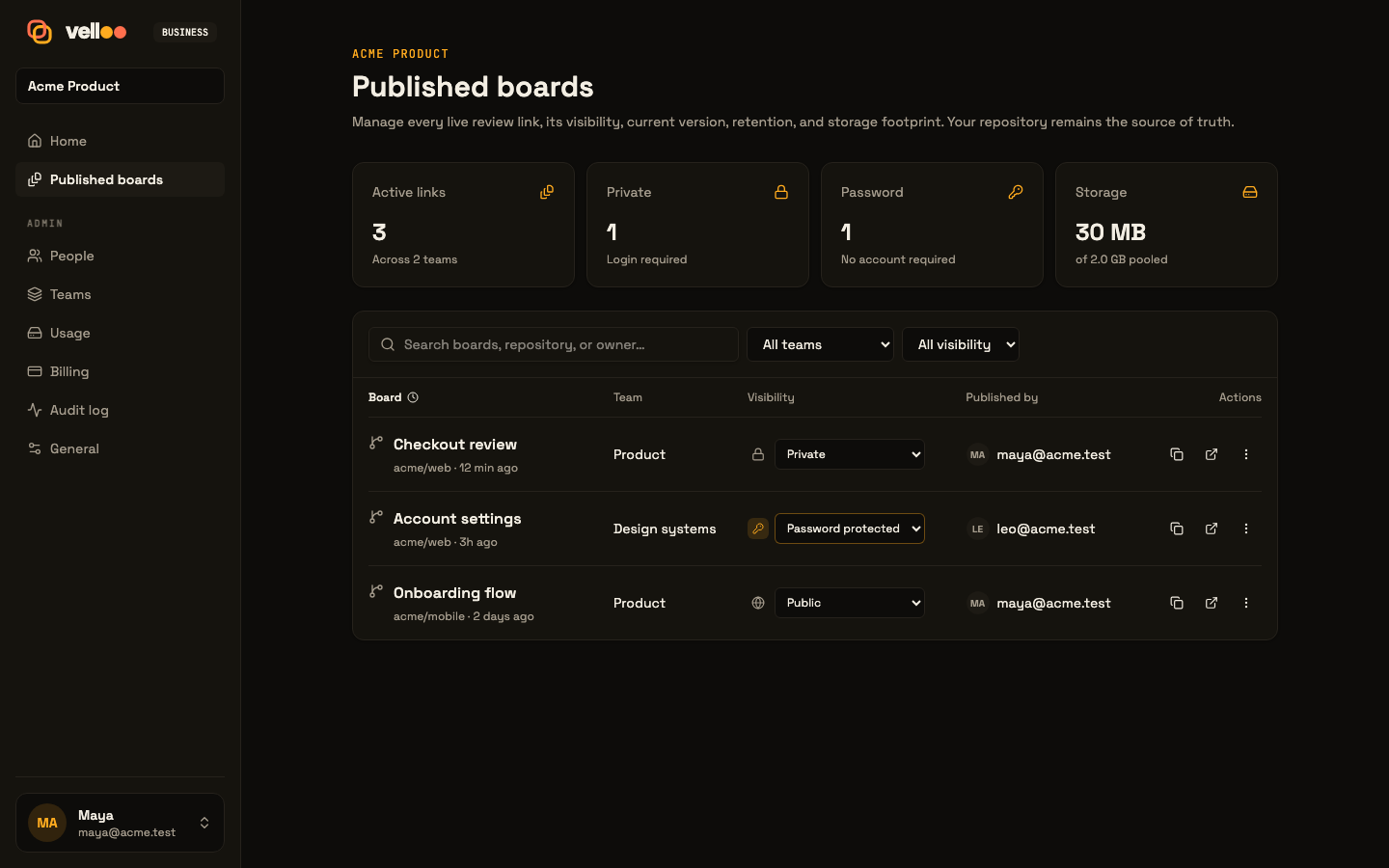
- Published boards and external review links. Share the selected design context without sharing the repository.
- Access controls. A link can be public, password protected, private to your organization, or (on Business) limited to one team. Private and password-protected links need a Team or Business plan; free accounts publish public links. On Team and up, a board can also be shared by email with guests outside your organization. On any plan, public commenting lets anyone who opens the link comment.
- Comments that return to the canvas. Your organization, invited guests, and (with public commenting on) anyone with the link can pin feedback to a node; the local workflow can sync, resolve, and discuss it where the design work happens.
- People and teams. Organizations, invitations, roles, and team scopes provide the collaboration boundary. Members publish; reviewers are people in your organization who view and comment but don’t publish; guests are people outside it, invited to one board. Roles and permissions lists who can do what.
- Hosted asset generation. Metered image and SVG generation can add assets to the workflow without changing the local-first model.
- Plan and usage controls. Team and Business plan mechanics cover collaboration capacity, storage, billing, and usage. Image-generation credits are separate.
Sign in from the CLI
velloo loginThe browser flow saves a CLI credential on this machine. The canvas reads the same signed-in state. To manage published boards, teams, and billing on the web, log in at velloo.ai. Use velloo logout for the current cloud or velloo logout --all to clear every saved cloud session.
The local canvas, MCP server, design files, exports, and implementation workflow continue to work without signing in.
Publish for review
velloo publishPick the boards to share and follow the printed URL. Publishing uploads the design material needed to render that review: screens, board arrangement, themes, snippets, referenced assets, and supported live extensions. When the folder already has a matching published design, Velloo asks whether to update that link or create a new one; updating keeps the URL and its review context.
The prompts cover boards, destination, and access. For scripts, the same choices are flags:
velloo publish --boards launch,pricing --update --private
velloo publish --new --password --password-expires 2026-12-31
velloo publish --team design --team-only --public-comments
velloo publish list
velloo publish remove <share-url>--public, --private, and --password set access (--visibility public|private is the explicit form). A password is prompted for, or read from VELLOO_SHARE_PASSWORD when there is no terminal. When you can publish to more than one team, velloo publish asks which one; --team names it. --team-only limits the board to that team, and --public-comments lets anyone who opens the link comment after giving their name. Run velloo publish --help for the rest.
Feedback loop
Once someone comments, sync that feedback into the local canvas and resolve it against the relevant node. This gives an agent a concrete target instead of a paragraph detached from the UI. Publish again when the board is ready for another review pass.