
You, with an agent
What it costs
One accurate screen, instantly. The next one is another whole conversation you have to hold in your head.
Connection to implementation
It is produced directly in your app.
Design for the AI era
A local-first design canvas for your coding agent. It builds screens from your own components. Side by side, at real viewports, in your app's own theme. See the work before you commit to it.
npm install -g velloo cd your-appvelloo init Works with your agent
 Claude Code
  Codex
Codex  Cursor
  GitHub Copilot
  Gemini CLI
  OpenCode
  Windsurf
  MCP
MCP The loop, step by step
An approval inbox built through Velloo’s MCP tools: explore three directions, refine the chosen one, resolve comments from the canvas and a review link, then implement it in the app. Every frame is real canvas output; pick a chapter to step through it.
A blank desktop frame, ready for the agent.
Choose a chapter to inspect it; the walkthrough will pause.
Why Velloo
The old loop was spec first, build last, because building was the expensive part. Agents inverted it: you build the thing to find out what it is. What did not get cheaper is judgment. Knowing which version belongs in the product is the same work it always was.
That is where the new loop leaks. The first build arrives looking finished, so it becomes the design by default. The decision gets made, just not by anyone.
Straight to code
Whatever arrived first is what the product becomes.
Through the Velloo canvas
The alternatives exist before the decision does.
What it costs
One accurate screen, instantly. The next one is another whole conversation you have to hold in your head.
Connection to implementation
It is produced directly in your app.
What it costs
Each additional direction takes more design time.
Connection to implementation
High-fidelity, but usually separate from the app runtime and implementation.
What it costs
Explore several directions at once, without losing sight of the first.
Connection to implementation
Component-structured, framework-native, and explicit about render fidelity.
What we believe
A design decision should be made, not inherited.
Speed is not the problem any more. What a team loses is the moment where someone looks at the interface, decides it is right, and can say why. Velloo exists to give that moment somewhere to happen, with the real components in front of you and the code still downstream of your answer.
See the product
Velloo gives agents structured screens, framework-native component models, editable props and styles, render-fidelity diagnostics, and visual checks against the running app.
The loop
Over MCP, your agent can discover components, compose separate directions, update props, and check the result in both themes. Velloo keeps the options visible while you decide which one the agent should implement.
The same shape
Agents compose in restricted JSX; Velloo compiles it into a readable component tree in screens/<id>.json. It is ordinary local JSON. It lives in your repo or another folder, diffs in Git, and renders on the canvas. One file, readable by a person and by an agent.
Agent vision
Any agent can take a screenshot now. What a screenshot cannot tell it is which component that button is, which token that color came from, or how to change one direction without disturbing the others on the board. Velloo gives the agent the structure underneath the picture: named components, the theme, and the node tree across both themes. It can also compare a frame with your running app at the same viewport, so differences get resolved against the product instead of guessed from code.
The canvas
Velloo renders component-structured screens through framework-native adapters and your app's own components. Resize a frame to inspect responsive styles and representative states side by side. Component status reports how each component actually rendered, so fidelity is checked rather than assumed.
Screens + boards · the model
Create separate screens for separate directions, then place their frames side by side. Frames of the same screen stay synchronized across boards and viewports; alternative screens remain independent, so changing one does not rewrite the others.
Props + styles
Select a component and a focused HUD appears beside it with the props and visual controls that matter. Changes land on the live canvas immediately, while stable component ids carry into code.
Velloo Cloud · opt-in
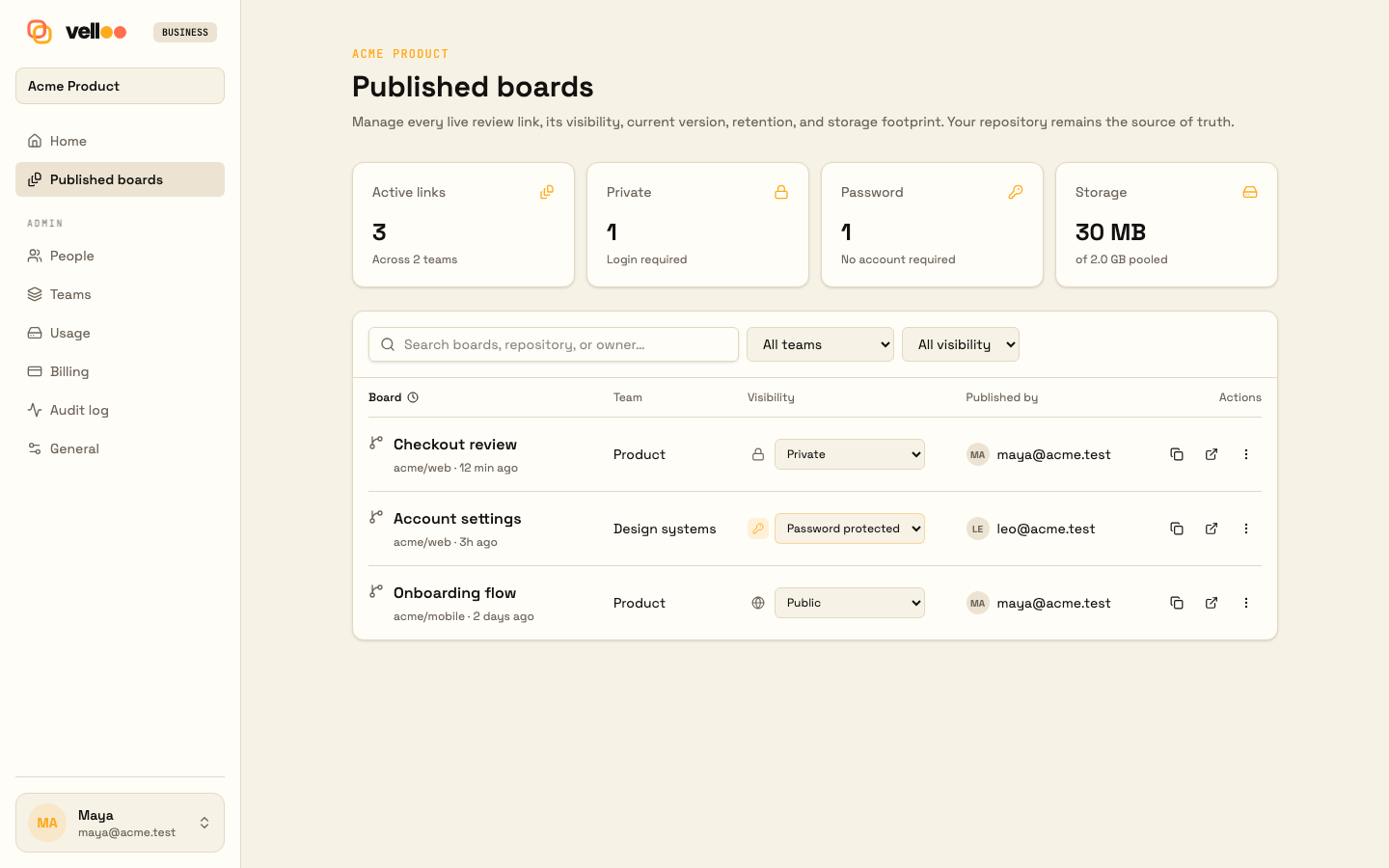
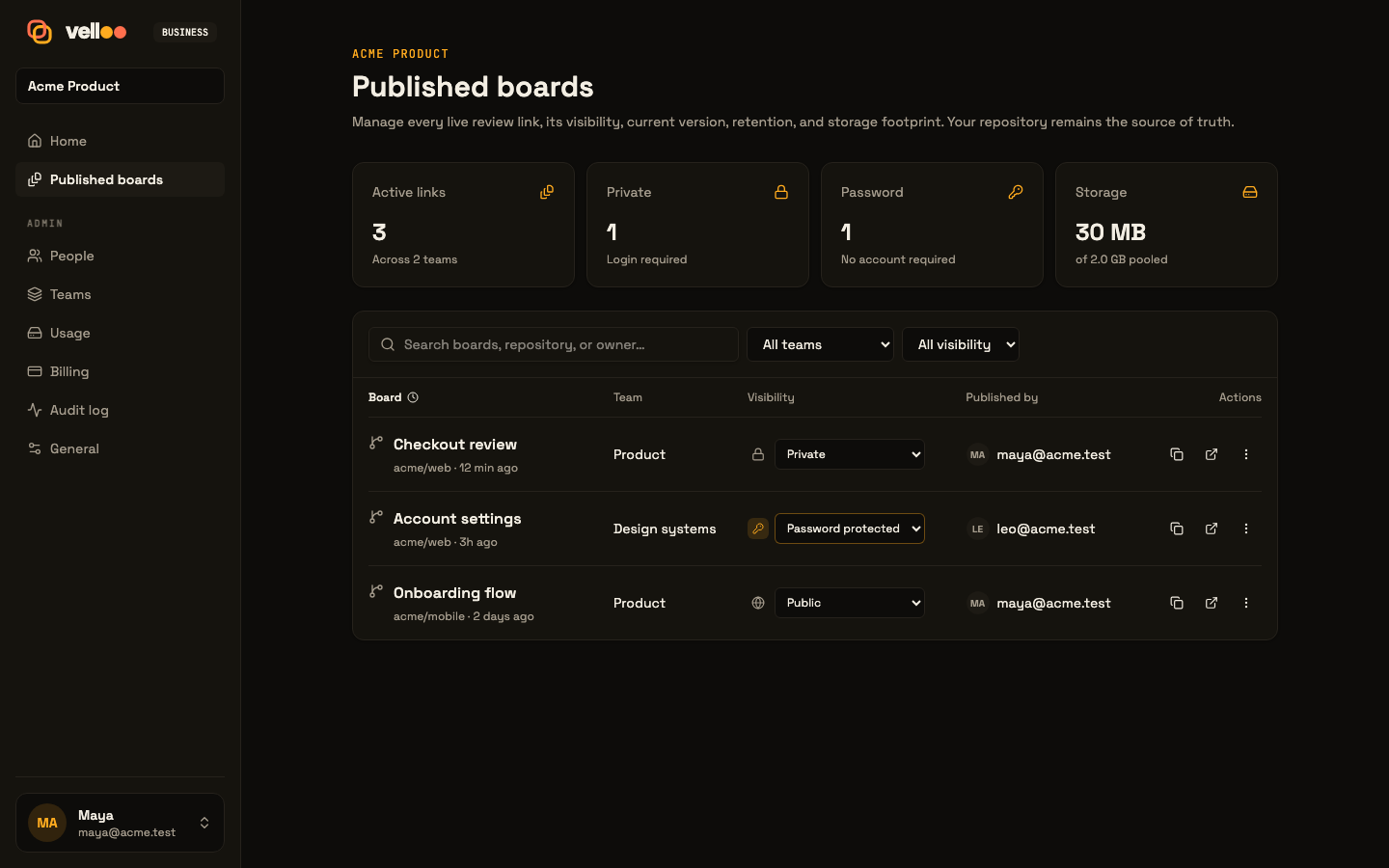
The complete solo loop stays local and account-free. Sign in only when you want a team workspace, a private review link, shared comments, or hosted asset generation through MCP.
Team workspacesInvite teammates and publish a board into the right team.
Private sharingSend an external review link without handing over the repo.
Feedback comes homeComments return to the local canvas for an agent to resolve.
Image generation over MCPGenerate, edit, cut out, or upscale assets directly into the design folder.
Framework-native
Rendering follows each framework’s native component and styling model, and Velloo preserves that structure in the intermediate output your agent turns into application code. On top of any of them, your app’s own components render from your own installed copy.
Tailwind className
Your own component files render directly; adapted and fallback cases are reported, never guessed at. Tailwind utilities, globals, tokens, and class conventions stay intact.
className="flex items-center gap-2" sx prop
Real @mui/material rendered in-process. Your theme projects onto createTheme(); emitted screens speak sx.
sx={{ display: "flex", gap: 1 }} Inline style
Real antd components with its native props, token-aware CSS-in-JS rendering, and inline style objects.
style={{ display: "flex", gap: 8 }} sx prop
Real Chakra UI v2 components, projected theme tokens, Emotion rendering, and Chakra-native sx props.
sx={{ display: "flex", gap: 2 }} Inline style
Bare primitives over plain HTML with inline style objects. No component framework to adopt; Tailwind remains optional.
style={{ display: "flex", gap: 8 }} And the ones you wrote
Velloo reads what your app actually renders — a package it depends on like Mantine, a private design
system, or your own components/ directory — and
draws those components on the canvas from your own installed copy. Nothing to register, no prop schema to
hand-write. They emit with their exact imports, because the component in the design is the component that
ships.
Fits your workflow
Create a new app from a direction, scan an existing one, act on review feedback, or verify against a running URL. Velloo gives people and agents one visual surface, then keeps design and implementation connected.
Scan its theme, routes, and component library before changing a screen.
Start from a Velloo direction, refine its component structure, then use the chosen screen as input for a new app.
Compare the design with a live URL, then resolve visible differences.
Pin comments on nodes, locally or on a published link, and the agent replies and resolves them.
 vell oo
 Why it is different
A code-shaped model of boards, screens, frames, components, tokens, and annotations that both people and agents can reason about. The direction you choose gives your agent structured, framework-native material to implement in your app’s conventions.
Local-first. Yours by default
Velloo stores designs as ordinary JSON in your app repo or another folder. Use Git when you want to branch, diff, review, and revert; neither Git nor an account is required.
An open agent surface
Discovery, mutations, inspection, screenshots, themes, snippets, and code emission are exposed through MCP, not hidden behind one model or editor.
Claude Code Codex Cursor GitHub Copilot Gemini CLI OpenCode Windsurf MCP Gemini CLI OpenCode Windsurf MCP Claude Code Codex Cursor GitHub Copilot Questions
The questions that come up most, answered as plainly as we can.
Keep your design tool. A drawing tool is where an interface gets invented: brand, illustration, motion, and the first version of a system that has no components yet. Velloo is the other half of the job, the part that happens once a product already has a framework and a component library. It builds screens out of those components, in the repo, so the work can be reviewed and implemented without being redrawn. Most teams will use both, and they rarely want the same thing on the same day.
Those products take a prompt and hand back a working interface, and they are good at it. Velloo is organized around the step where a team looks at what came back and decides. The agent builds into a folder in your own repo, using your own components, and can keep several screens side by side on one canvas. The difference shows up when you want a second option next to the first, or when someone outside the repo has to review what the agent produced.
It can, and it should. Seeing is solved and free. The gap is everything a screenshot does not carry: a picture does not tell the agent that the element is a <Card> from your library, that the border came from a token, that a prop change should reach every frame using that screen, or how to write the change back into the repo. Velloo hands the agent the structure under the pixels, plus somewhere to put the result. The screenshot is the part you already had.
No. The problem it addresses is that interfaces now get drafted in the repo, often before anyone schedules a review, which tends to route around design rather than replace it. A published board is a way back in: real screens, in the real theme, with comments pinned to specific nodes that return to the developer's canvas. Deciding what is right, and knowing what has to stay consistent across the product, is still the work, and it is still yours.
The local canvas and MCP tools are free, open source under Apache-2.0, and run with no account. That is the complete local product, not a trial. Velloo Cloud is the opt-in half: published boards, comments that return to your canvas, team workspaces, and hosted asset generation. The free plan covers three published boards, and paid plans add shared workspaces where reviewers and guests take no paid seat. See the pricing page for the details.
Most likely yes, even if it isn't one Velloo adapts. Adapters and styling channels cover shadcn/ui with Tailwind className, Material UI and Chakra with sx, and Ant Design and no-library React with inline styles. Beyond those, your app's own components — a package it depends on like Mantine, a private design system, or your own components directory — are found by reading what your app renders and drawn on the canvas from your own installed copy, then emitted with their exact imports. Velloo checks each component and reports how it actually rendered rather than quietly approximating it. How your own components are rendered.
Anyone with a link. A published board opens in a browser with no install and no repo access, which is how a designer, a product manager or a client sees the work. Looking costs nothing and needs no account. Your organization always comments; a guest you invite to a board comments from their personal link, and anyone else can comment when you turn on public commenting. Comments pin to a node and travel back to the local canvas for the agent to act on. Reviewers and guests never take up paid seats.
It can, if the directions are cosmetic variations with no decision behind them. The useful version gives each direction a distinct premise, holds the same constraints across all of them, and judges them against a stated bar. Velloo makes the alternatives visible and comparable. It does not supply the judgment that makes them worth comparing.
For checking a single screen, a screenshot, a diff and a dev server are enough, and you already have them. Comparing is different: it means moving your eyes between the options, at the same viewport and in the same theme, without holding the last one in memory. That is a spatial problem, which is why the directions sit side by side on a canvas instead of in a sequence of messages.
No. Plenty of screens do not deserve it, and nothing in the tool insists. Velloo works as a component-structured canvas for one screen: build it, check it in both themes, compare it against the running app, implement it. The alternatives are there for the decisions that are actually worth a second look.
They live in a folder as ordinary JSON, one readable component tree per screen, in your app repo or another folder you choose. They diff in Git, review in a PR, and revert like anything else. If you stop using Velloo, the code you shipped is just your code, and the design files are just files you own. There's nothing to export and nothing to get out of.
No. Velloo is an MCP server, so it plugs into the agent you already use: Claude Code, Codex, Cursor, GitHub Copilot, Gemini CLI, OpenCode, Windsurf. You keep your editor, your model and your prompts. The agent gains a visual surface to put the work on, and a way to lay out more than one version of it.
The local loop runs on your machine, is telemetry-free, and works with no account. The CLI makes one anonymous update check against the public npm release version at most once a day; it sends no project or account data, and VELLOO_DISABLE_UPDATE_CHECK=1 disables it. Publishing, comments, hosted asset generation, and other Cloud features are opt-in. See the docs for exactly what each one transmits.
Velloo emits the chosen screen as structured, framework-native intermediate output, not a paste-ready production file. Your agent turns that into real application code, adding imports, routing, state, data, and handlers in your project's conventions. The result shows up in your diff and goes through the review process you already use.
npm install -g velloo cd your-appvelloo init