
 Rodrigo Silveira
Design the journey
Turn separate screens into a flow you can follow, question, and carry into a working app.
The part between the screens
You ask an agent to build a sign-up. It makes a form, an inbox screen, and a welcome page. They look right. But what happens after someone presses Create account? Can they tell it is working? What if their email is already taken? How do they try again?
Those answers are part of the design. A list of screens leaves them out, and the agent fills in the blanks while it writes the code.
I’ve been talking to people about how they design in the world of AI. One person described a simple approach: draw the flow in Excalidraw, boxes for the screens and arrows between them, and hand the picture to a coding agent. The picture works because it shows the part between the screens: what leads where, what a person sees while they wait, and what happens when something fails.
That is the same problem I wrote about when I started Velloo: decisions get made along the way, without anyone stopping to look at them. A flow is full of those decisions.
Now a Velloo board can hold those decisions alongside the screens. Connect the steps, draw their states, and say when each arrow happens. You can walk the journey and change your mind before your agent turns it into an app.
Two kinds of arrow
An arrow on a board says one of two things.
A transition is a solid line. Something happens, and the person is on the next step: they submit the form, and they are asked to check their inbox.
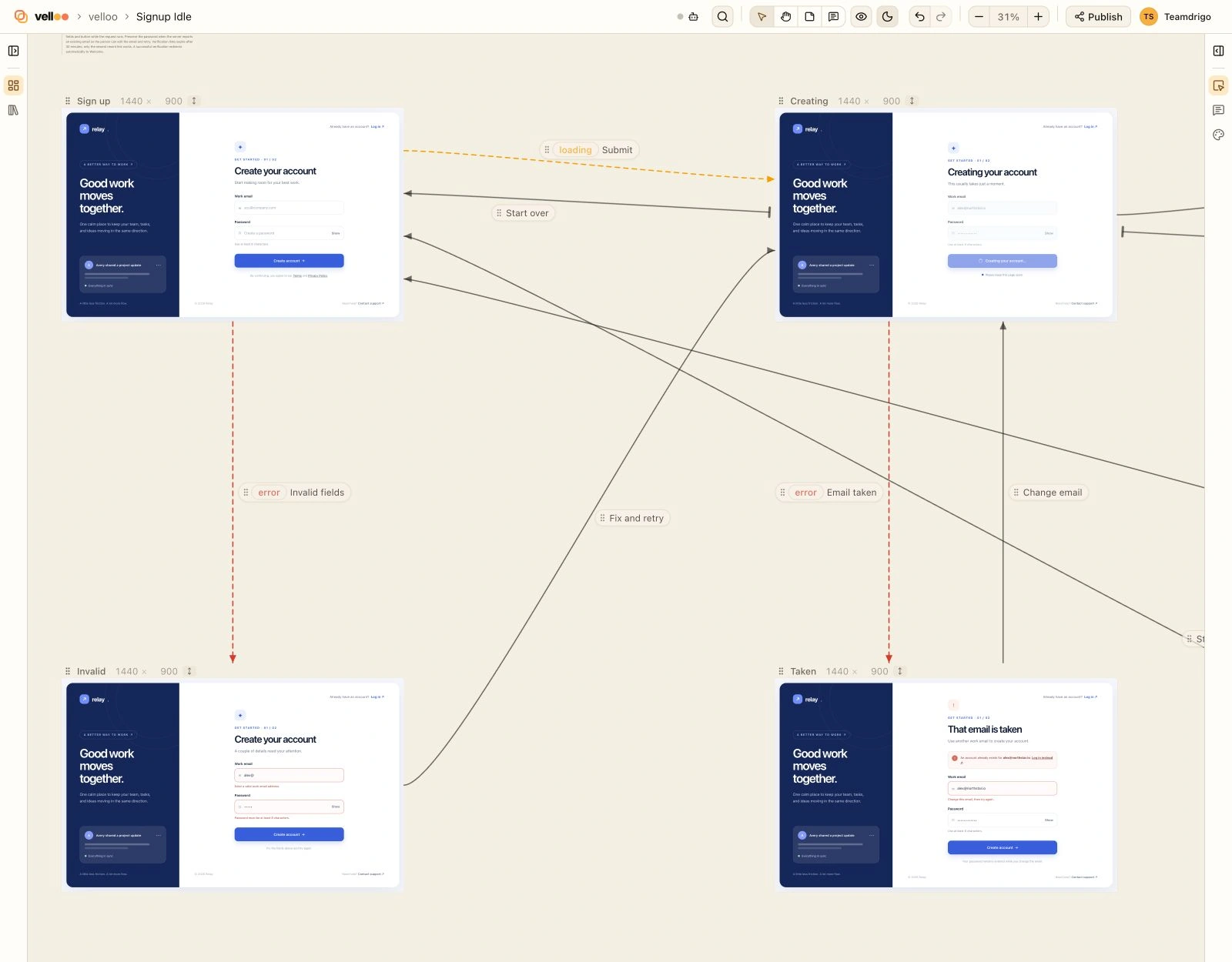
A state is a dashed line with a tag: loading, empty, error, success, or a name of your own. The screen it points at is the same step in that condition. The form while the account is being created. The form after the server says the email is taken.
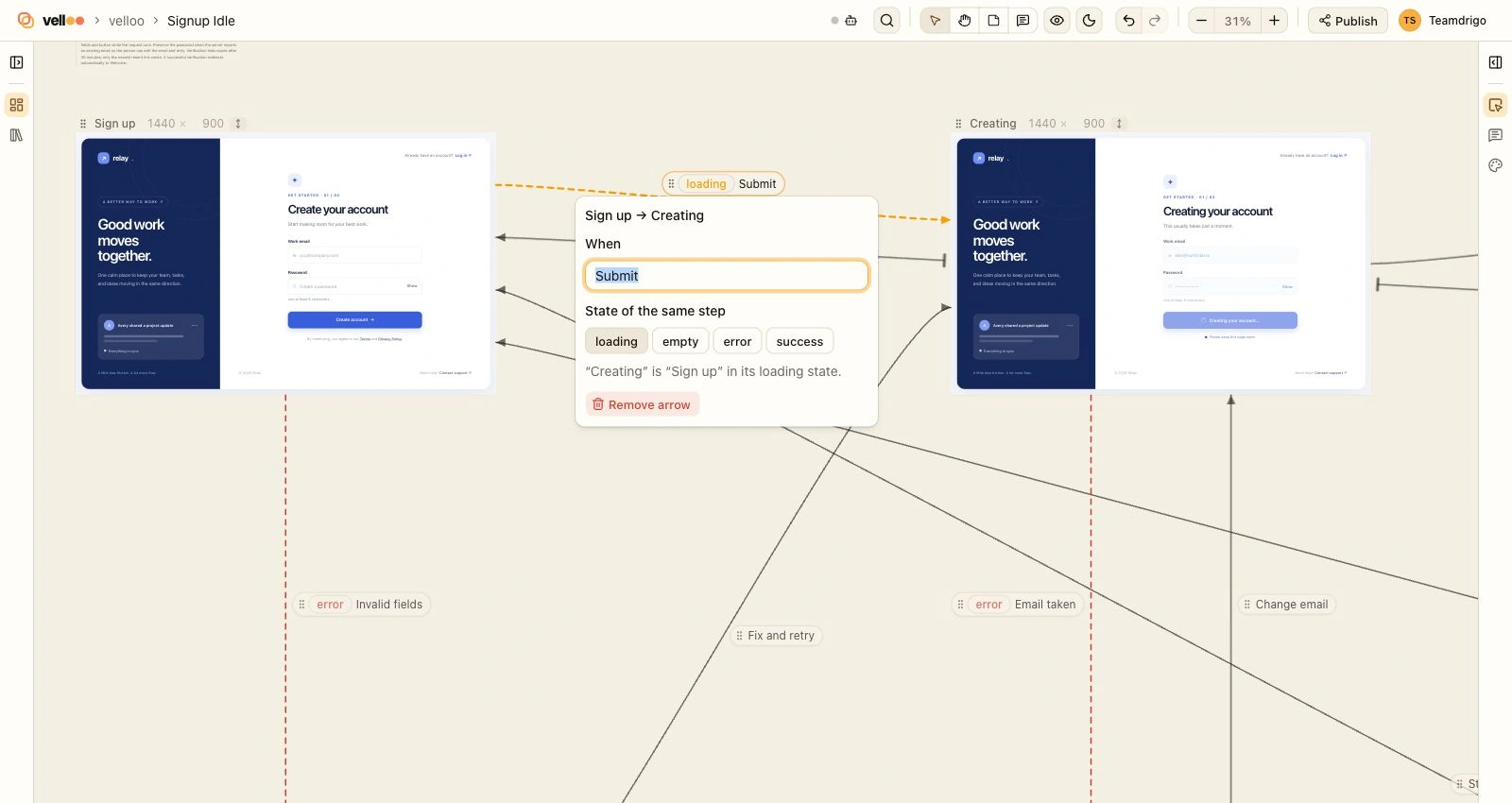
States are the screens that get skipped. Nobody forgets to design the form. The spinner, the empty list, and the error message are usually written by whoever implements the form, at the moment they need them. Putting them on the board as screens of their own means someone looks at them before they ship.
It also gave Velloo one thing it can check without knowing anything about your product. A step that has a loading state and no error state is waiting on something that can fail, and the board doesn’t say what happens then. Velloo reports that as a gap. It reports nothing else: whether a welcome screen needs an empty state is your call.
A flow an agent drew
Here is a flow I didn’t draw. This is the brief, less a paragraph describing the app. It went to Codex running GPT-6 Sol, in an empty app with no component library:
Design the sign-up flow for a product called Relay, on one board, as a flow an engineer could implement from without asking questions:
A person enters their work email and a password. While the account is being created they can see that it is working. If that email is already registered they are told so, and can try again. Otherwise they are asked to check their inbox for a verification link. Once verified, they land on a welcome screen.
Design every screen and every state of it, and connect them on the board so it shows what leads where and when. Don't write any app code.
Explore the sign-up flow in Velloo ↗
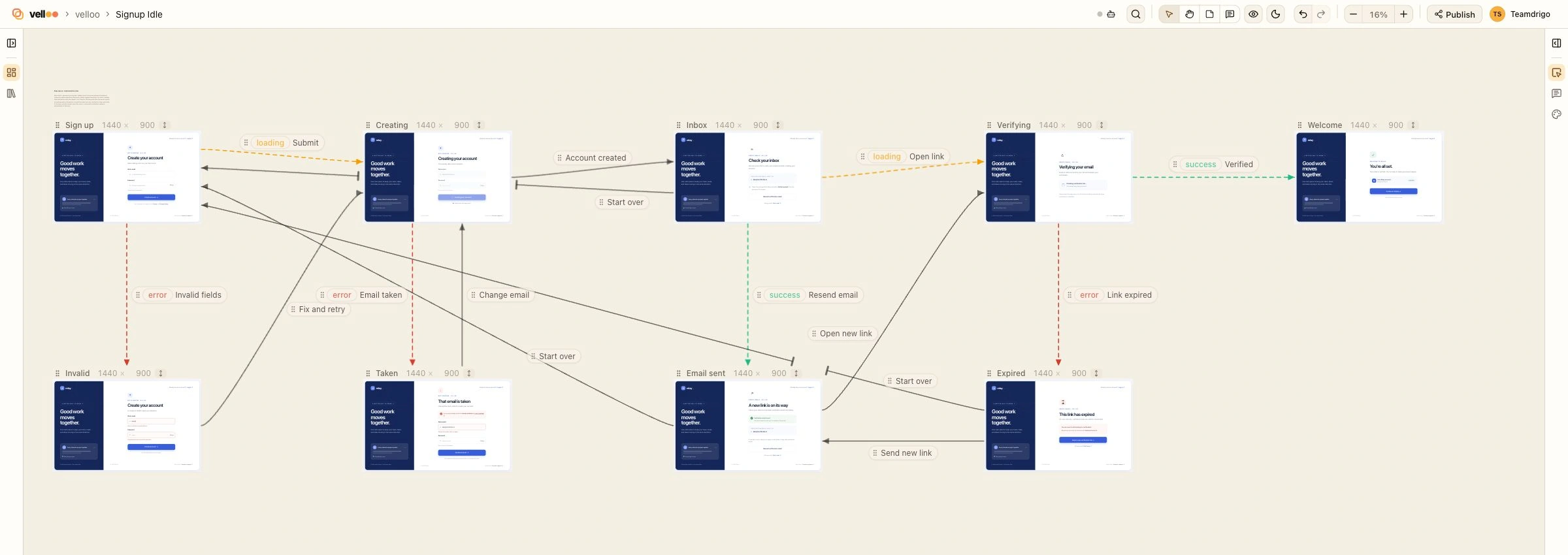
The brief names five screens. The board has nine, and the four it added are answers to questions an engineer would have come back with. What if the email is malformed? What does the person see while the link is being checked? What if they never got the email? What if they open the link a day late? Three more arrows answer a fifth: what if they typed the wrong address and want to start over. Each answer is a screen I can look at or an arrow I can read, and I can disagree with any of them before a line of the app exists.
The agent made the decisions; I tidied the presentation. Moving the screens and shortening their labels gave the arrows more room, without changing where they lead. Now I can follow the happy path, take each detour, and check that nobody gets stuck.
I ran a second test with the feature left out of the prompt. The brief was one sentence: create the screens for a subscription flow for a product called Relay. It doesn’t mention arrows, states, or a board.
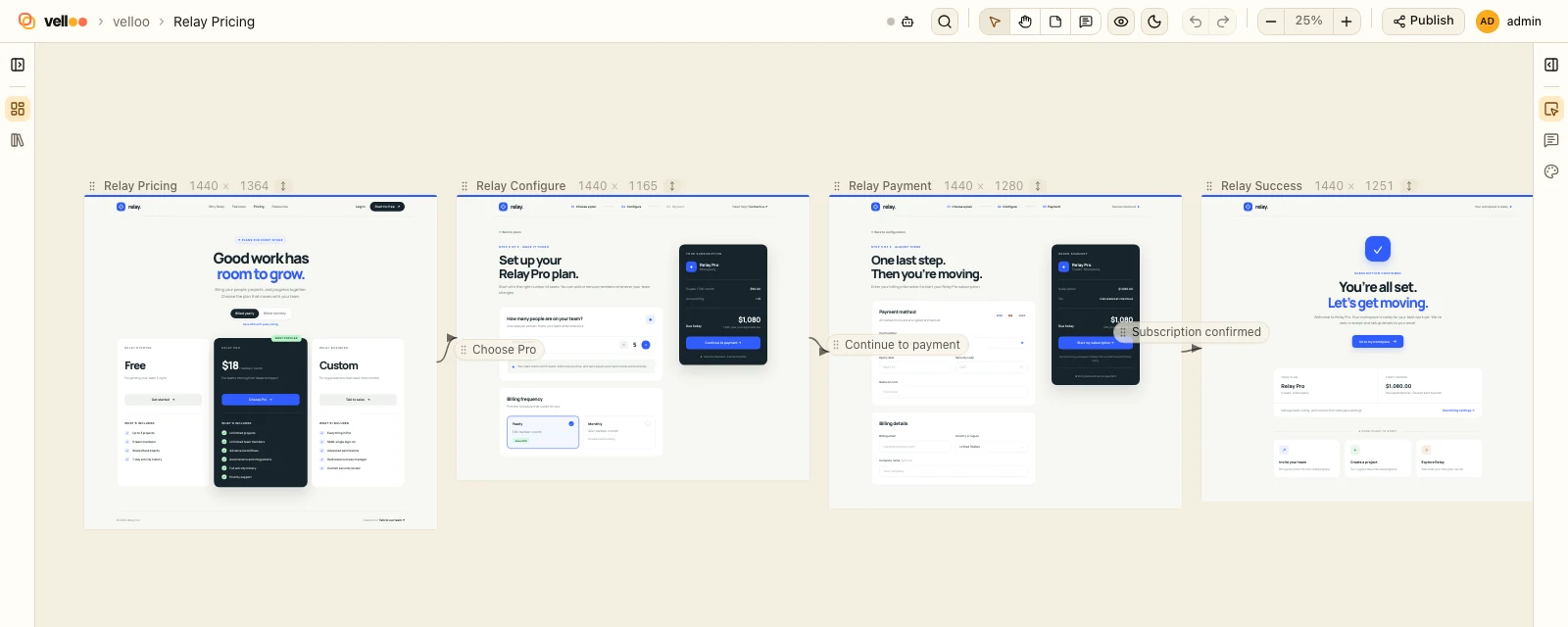
In both runs, the screens were connected and every arrow had a label. Neither included a state this time. In an earlier round five boards out of eight had one, so I treat states as something you ask for.
From the board to the app
When you’re happy with the journey, ask your agent to build it. It can read the screens, the arrows, and the states together. The decisions you reviewed on the board go with it: what happens after a click, what someone sees while they wait, and how they recover when something goes wrong.
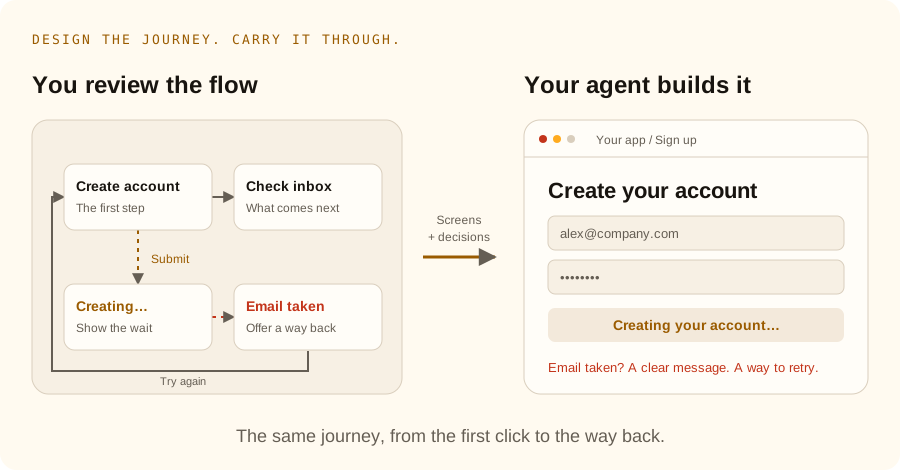
I check that handoff by walking the app: submit the form, watch it respond, try an email that’s taken, recover, and follow the verification link to the welcome screen.
That’s the point of designing the flow first. You get to see and question the choices while they’re still easy to change, then carry them into the app.
Try it
velloo upgradeThen pick a feature with more than one screen and give your agent a brief like this:
Design this feature as a flow in Velloo. Include the loading and error states, show how someone recovers, and connect the screens with arrows that say when each step happens. Don’t write app code yet.
Walk the board as the person using your app. Follow the arrows, take the error paths, and change anything that doesn’t make sense. Then ask your agent to implement the flow. The flows guide shows how to connect and review it.